If you have purchased a Windows product that requires phone activation, follow these steps to complete the process.
Step 1: Open the Activation Wizard
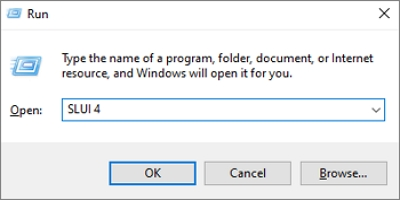
Press the Windows key + R on your keyboard to open the Run dialog. Type slui 4 and click OK.
Step 2: Select your Country or Region
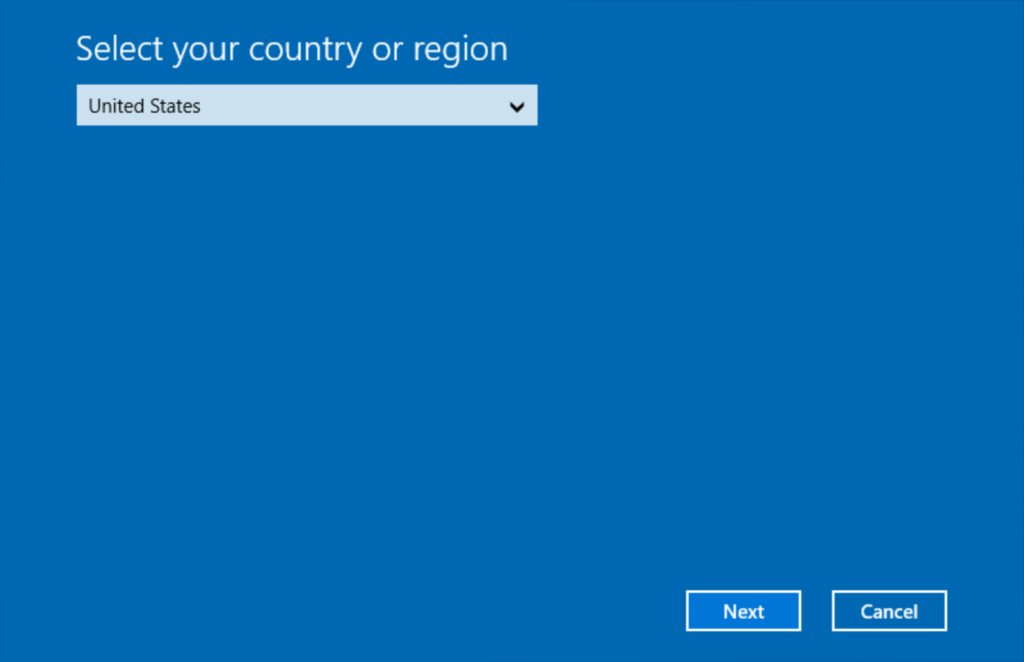
A new window will open. Select your current country or region from the drop-down menu and click Next. This ensures you are provided with the correct local phone numbers for activation.
Step 3: Call and provide your Installation ID
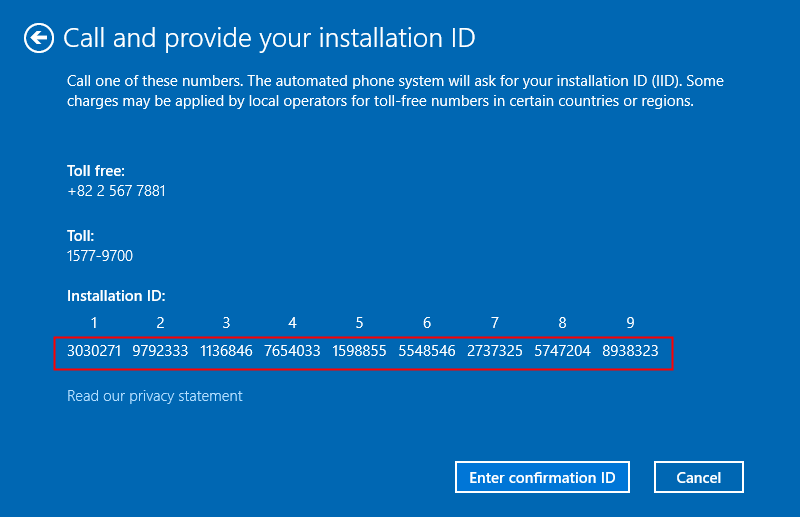
Call the toll-free number displayed on your screen. An automated system will ask you for your Installation ID (IID). Enter the numbers shown on your screen using your phone's keypad.
Step 4: Enter the Confirmation ID
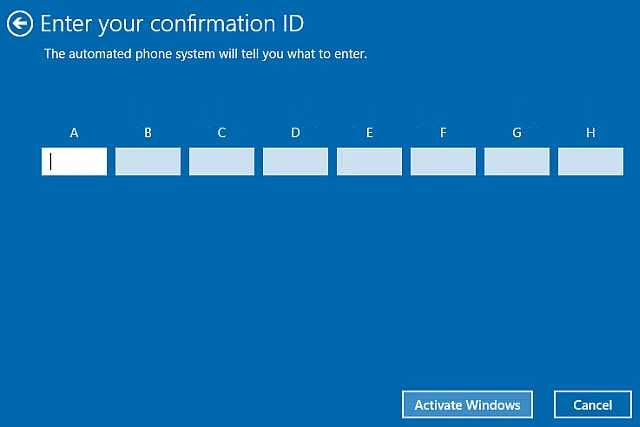
The automated voice will then provide you with a Confirmation ID (blocks A through H). Type these numbers into the corresponding boxes on your computer screen.
Step 5: Finish Activation
Click the Activate Windows button to complete the process. You will receive a confirmation once Windows is successfully activated.
Was this article helpful?
That’s Great!
Thank you for your feedback
Sorry! We couldn't be helpful
Thank you for your feedback
Feedback sent
We appreciate your effort and will try to fix the article