Winget is the official Windows Package Manager. It allows you to install, update, and manage your software using simple text commands instead of searching for individual installers online.
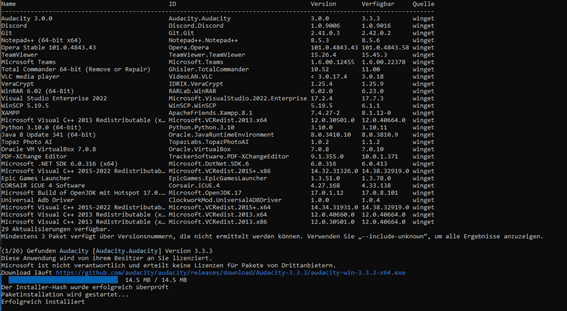
How to Update All Software at Once
Instead of checking each app manually, you can update everything on your PC with a single command:
- Open Command Prompt or PowerShell.
- Type the following command and press Enter: winget upgrade --all
Why use Winget?
- Efficiency: Updates all supported applications in one go.
- Safety: Downloads directly from official or verified sources.
- Convenience: Similar to APT (Debian) or YUM (Red Hat), but built specifically for Windows 10 and 11.
Need more details? Visit the official Microsoft documentation: https://learn.microsoft.com/de-de/windows/package-manager/winget/
Was this article helpful?
That’s Great!
Thank you for your feedback
Sorry! We couldn't be helpful
Thank you for your feedback
Feedback sent
We appreciate your effort and will try to fix the article